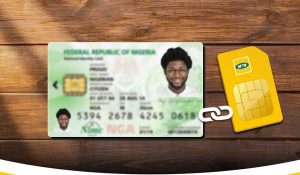
How to Link National Identity Number (NIN) to MTN, 9Mobile, Glo and Airtel Number
Linking your National Identification Number (NIN) to your mobile line is now a compulsory requirement in Nigeria. If your SIM is not properly linked, you risk having your line restricted or completely blocked from making calls, sending messages, or using mobile data.
In this guide, you’ll learn the simple and updated methods to link your NIN to all major networks in Nigeria — MTN, Airtel, Glo, and 9mobile.
Why You Must Link Your NIN to Your SIM
The Nigerian Communications Commission (NCC) made it mandatory for all SIM cards to be linked with a valid NIN. This policy helps improve national security, prevent fraud, and ensure proper identification of mobile users.
Any SIM that is not linked or verified may be barred from network services.
Before You Start
Make sure you have:
- Your 11-digit NIN
- The phone number you want to link
- Sufficient airtime (for USSD charges)
If you don’t know your NIN, you can retrieve it by dialing *346# on your phone.
How to Link NIN to MTN
MTN users can link their NIN using several easy methods:
- Dial 785# and follow the prompts
- Or dial 785*NIN# directly
- You can also use the MyMTN App or MTN NIN portal
After submission, you should receive a confirmation message once your NIN is successfully linked.
How to Link NIN to Airtel
For Airtel subscribers, follow these steps:
- Dial 121*1# and select the NIN option
- Enter your NIN when prompted
- Alternatively, send your NIN via SMS or use the Airtel website
Once completed, Airtel will notify you if the process is successful.
How to Link NIN to Glo
Glo offers multiple options for linking your NIN:
- Dial 109*NIN# and follow instructions
- Or send SMS in this format:
UPDATENIN NIN FirstName LastName to 109
You’ll receive a message confirming that your NIN has been linked to your line.
How to Link NIN to 9mobile
9mobile users can link their NIN easily by:
- Dialing 200*8# and following the prompts
- Or using the official 9mobile NIN portal
Make sure you enter the correct details to avoid delays in verification.
Alternative Method: Visit a Service Center
If you’re having trouble linking your NIN yourself, you can visit any network provider’s service center. A customer service agent will help you complete the process quickly.
How to Confirm If Your NIN is Linked
After linking, you can verify by:
- Dialing 996# to check SIMs linked to your NIN
- Waiting for a confirmation SMS from your network
Common Issues and Fixes
Sometimes, users may experience delays or errors. Here’s what to do:
- Double-check your NIN before submitting
- Try again during off-peak hours
- Ensure your SIM is properly registered
What Happens If You Don’t Link Your NIN?
Failure to link your NIN can lead to:
- Blocked outgoing calls
- Disabled data services
- Complete SIM deactivation
This is why it’s important to complete the process as soon as possible.
Final Thoughts
Linking your NIN to your SIM is quick and essential in 2026. With just a few steps, you can avoid service disruption and keep your line active.
Make sure your details are correct, follow the right method for your network, and confirm your status once done.